Holi AI Prompts: Edit Vibrant Festival Photos
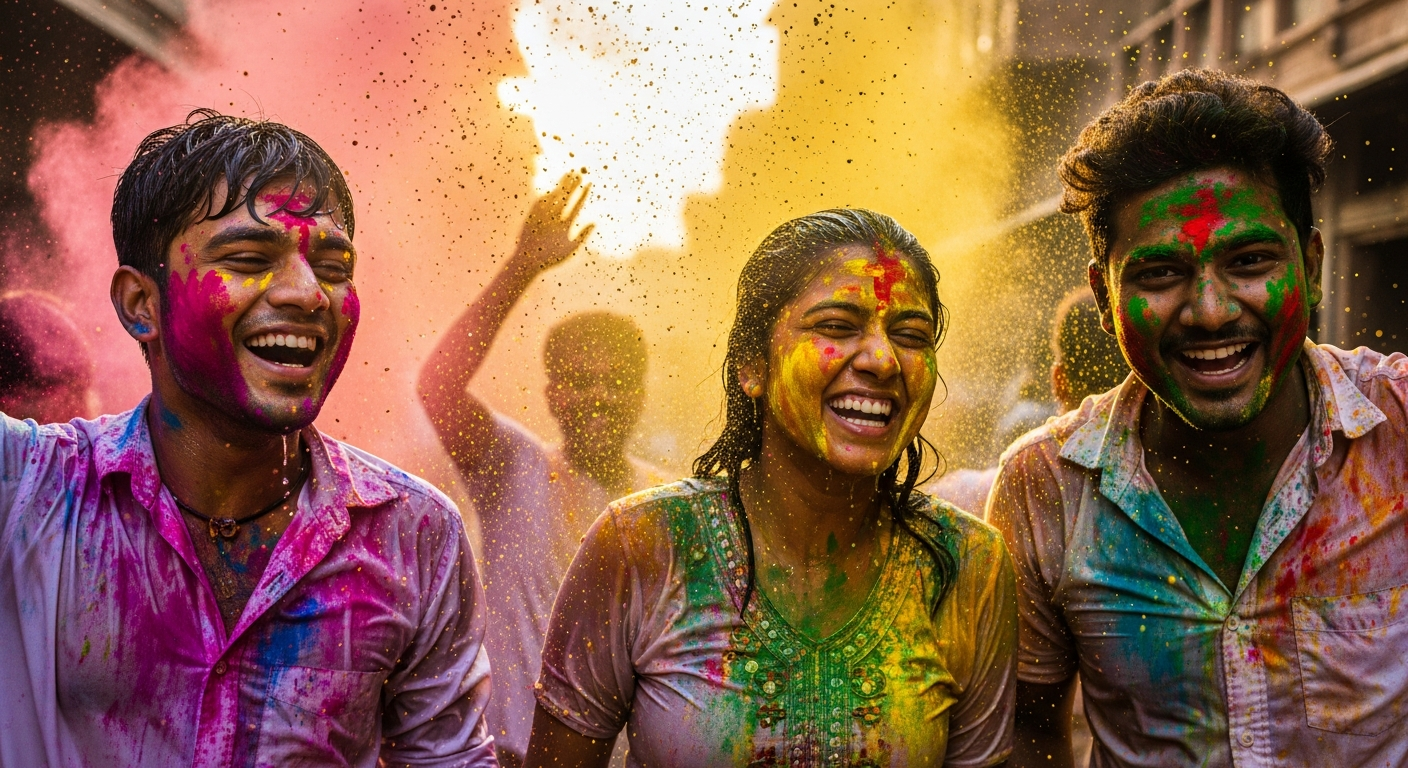
Holi, the festival of colors, brings joy, laughter, and incredible photo opportunities. Capturing the true spirit and vibrant hues of Holi can be a challenge, but with the power of Artificial Intelligence (AI), you can transform your good photos into stunning masterpieces. This guide offers expert Holi AI photo editing prompts designed to help you enhance every splash of color and joyful moment. Whether you want to make colors pop, refine details, or add a magical touch, these AI prompts for vibrant Holi photos will guide you. Get ready to enhance Holi pictures with AI prompts and create unforgettable visual memories.
Amplify Holi Colors
This prompt is perfect for bringing out the incredible spectrum of Holi colors. It ensures that the powdered dyes (gulal) and water look incredibly vibrant without making people look unnatural.Expert Insight: Pay attention to the balance. Over-saturating can make photos look artificial. Aim for a lively, festive feel.
Focus on the Fun
Holi is all about human connection and joy. This prompt helps draw attention to the happy faces and playful interactions, making your subjects truly stand out. It’s ideal for Creative AI image prompts Holi sessions.Expert Insight: Use this when there's a distracting background. A subtle blur enhances the subject without completely isolating them from the scene.
Golden Hour Glow
Even if you didn't shoot during golden hour, AI can simulate that beautiful, soft light. This adds a magical, dreamy quality to your Holi photos, making them feel even more special.Expert Insight: Combine this with a slight increase in exposure for truly radiant results, especially for outdoor shots.
Dynamic Color Splash
Holi is dynamic! This prompt helps freeze the action of color being thrown, making each splash look sharper and more impactful. It's one of the best Festival photo AI editing prompts.Expert Insight: Be careful not to overdo contrast, as it can crush shadows or blow out highlights. A balanced approach is key.
Remove Distractions
Sometimes, a perfect shot is ruined by a small distraction. AI can intelligently remove these elements, leaving your main subject and colors undisturbed. This is a powerful way to enhance Holi pictures with AI prompts.Expert Insight: Always review the AI's work carefully. Sometimes, manual adjustments might be needed to perfect the removal.
Brighten Faces Naturally
After hours of play, faces might look tired or have shadows from hats or hair. This prompt ensures everyone looks fresh and happy in your photos.Expert Insight: Use this sparingly. The goal is to enhance, not to make faces look artificial or overly retouched.
Classic Black & White with a Twist
This prompt offers a unique artistic take on Holi photos, blending the timeless elegance of monochrome with the festive pop of a single color. Great for unique Holi AI photo editing prompts.Expert Insight: Experiment with which color to retain. A dominant color in the original shot often works best for impact.
Add a Rainbow Hue Overlay
Imagine adding a magical, ethereal rainbow shimmer to your photos. This prompt can bring that extra layer of wonder, perfect for the joyous chaos of Holi.Expert Insight: Adjust the opacity of the overlay to ensure it complements, rather than detracts from, the original colors and composition.
Emphasize Powder Clouds
The misty clouds of gulal are iconic to Holi. This prompt makes them a central, breathtaking feature of your photos, capturing the essence of the festival.Expert Insight: This works best with photos taken during a major gulal throw. Avoid using it on shots with minimal powder.
Vibrant Group Portrait
Group photos can be tricky, especially with varied lighting. This prompt helps balance everything, making sure everyone looks great and the group's collective joy shines through. Another excellent AI prompts for vibrant Holi photos example.Expert Insight: Before using AI, try to compose your group shots with consistent lighting if possible. AI is powerful but a good base photo helps.
Dynamic Motion Blur
To emphasize the energy of Holi, this prompt can simulate motion blur, making it look like the action is swirling around your focused subjects, adding a dynamic feel.Expert Insight: Use this cautiously. A strong motion blur can look unnatural. Subtlety is key for a believable effect.
Artistic Paint Stroke Effect
For a truly unique and artistic take, this prompt turns your photo into a painting, highlighting the beautiful, chaotic artistry of Holi. It's a fun way to use Creative AI image prompts Holi.Expert Insight: This effect can completely change the feel of a photo. Choose shots with good color distribution and simple compositions for the best results.
Using Holi AI photo editing prompts is a game-changer for capturing the magic of the festival. From making colors explode to adding artistic touches, these AI prompts for vibrant Holi photos give you the power to tell your Holi story in the most visually stunning way. Experiment with these prompts, mix and match, and don't be afraid to add your unique creative flair. AI is here to help you enhance Holi pictures with AI prompts and keep the festive spirit alive in every frame.
Expert's Final Verdict: The key to mastering AI photo editing for Holi lies in understanding what emotions and visual impact you want to convey. AI is a powerful assistant, but your creative vision remains paramount. Use these prompts as a starting point, then fine-tune them to perfectly match the energy and joy of your personal Holi experience.
Frequently Asked Questions
What kind of AI tools can I use these prompts with?
These prompts are designed for AI-powered photo editing software that accepts natural language commands. Many modern photo editors and apps now integrate AI features that can interpret these types of instructions for enhancing images.
Can these AI prompts really transform my photos?
Absolutely! By guiding the AI with specific instructions, you can dramatically improve colors, lighting, focus, and overall mood, turning ordinary Holi photos into extraordinary ones.
How important is the original photo quality when using AI editing?
While AI can do wonders, starting with a good quality original photo always yields the best results. Clear, well-composed images give the AI more to work with, allowing for more impactful enhancements and fewer artifacts.