The era of boring, hand-scribbled study notes is over. AI image generators like Midjourney, DALL-E 3, and Stable Diffusion are revolutionary tools for students, teachers, and instructional designers, allowing for the rapid creation of highly specific visual aids. Whether you need a perfectly labeled schematic, a stylized historical timeline, or an aesthetic conceptual map, AI can deliver professional-quality results instantly.
The key to effective AI study guides lies in precision prompt engineering. This guide provides seven finalized, high-quality image prompts designed to tackle different educational challenges, ensuring visual clarity, aesthetic appeal, and technical accuracy.
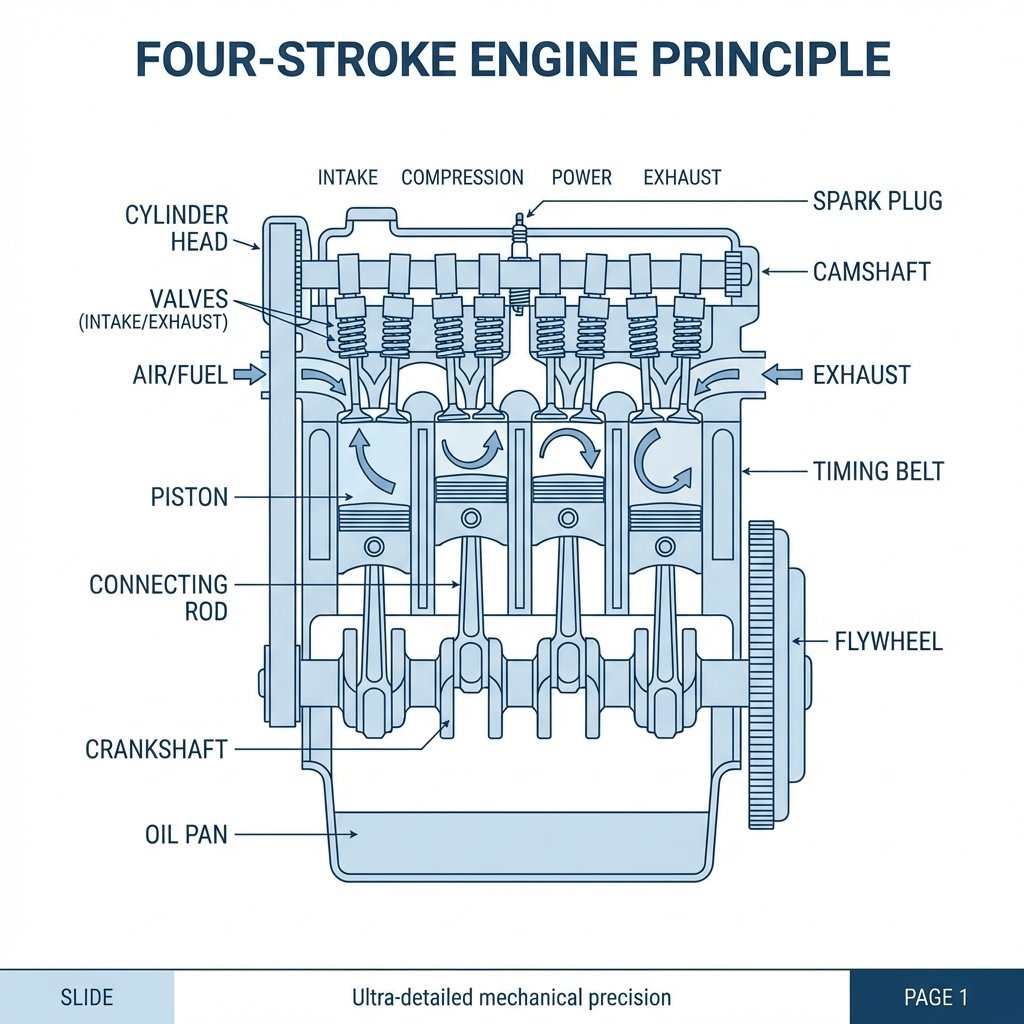
Prompt 1: Technical Cutaway Diagram (Engineering Focus)
This prompt utilizes keywords like 'vector line art' and 'schematic blue and white' to ensure the output is clean, high-contrast, and suitable for technical manuals or engineering study guides, eliminating artistic ambiguity.
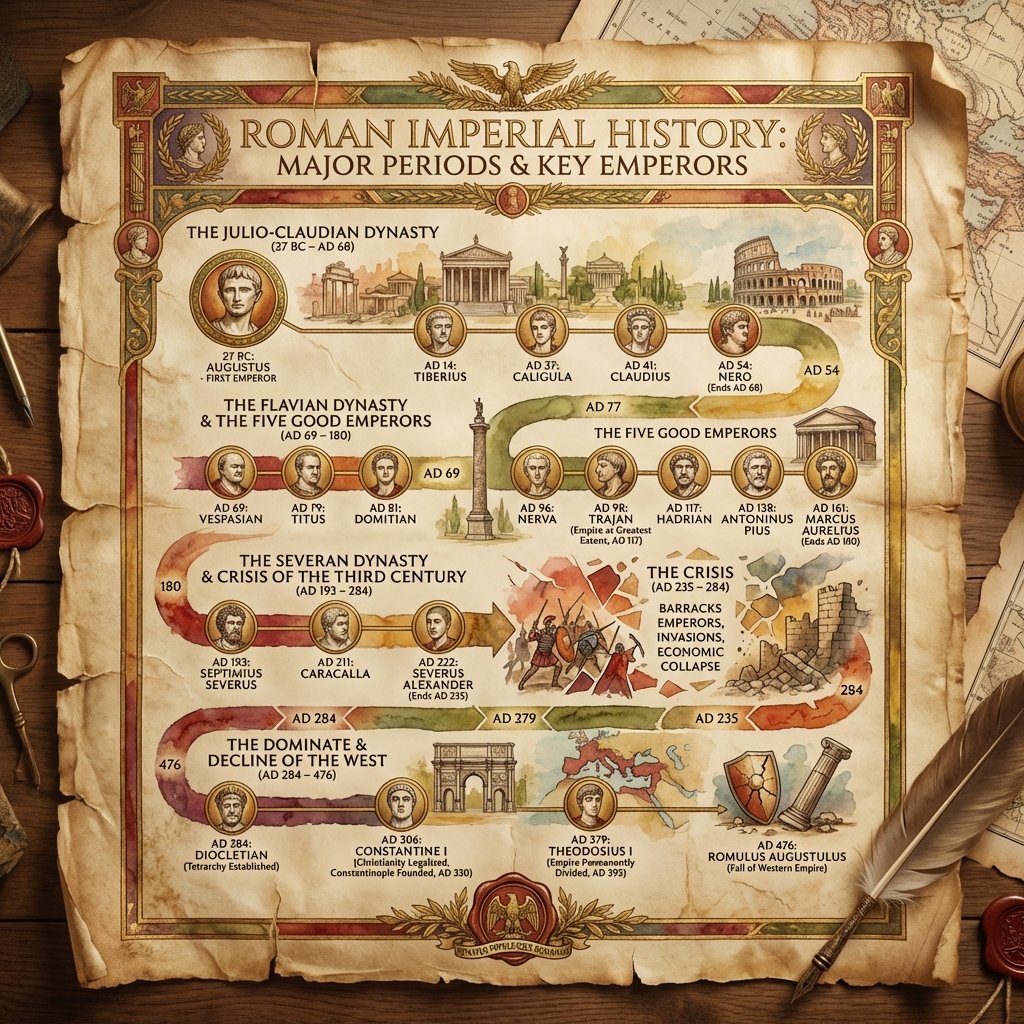
Prompt 2: Stylized Historical Timeline Infographic
Designed for history or literature studies, this prompt integrates 'parchment scroll' and 'illuminated manuscript' to provide a historical aesthetic, while specifying 'clear segmented sections' ensures the information is organized like an effective infographic.
Prompt 3: Aesthetic Foreign Language Flashcards (Macro Photography)
This prompt focuses heavily on the aesthetic ('macro photography,' 'shallow depth of field') to create visually appealing study aids, crucial for modern students, ensuring readability while maintaining a professional photographic quality.
Prompt 4: Conceptual Flowchart (Mind Mapping Style)
This style helps visualize abstract relationships. Keywords like 'moleskin notebook' and 'fine-tip black ink' mimic the tactile process of effective note-taking, making the complex flow chart feel approachable and organized.
Prompt 5: High-Contrast Comparison Table
Crucial for technical or business education, this prompt specifies 'vector comparison chart' and 'flat-design aesthetic' to guarantee sharp, scalable lines and a professional data visualization output, minimizing artistic interpretation.
Prompt 6: Precise Molecular Structure Diagram (Requiring Negative Prompting Context)
This prompt demands precision for chemistry. When run through Stable Diffusion or Midjourney (with DALL-E 3 handling text well), it is often paired with a negative prompt like '--no blur, messy lines, artistic filter, graphite sketch' to ensure scientific accuracy over aesthetics.
Prompt 7: Illustrated Game Theory Scenario (Narrative Learning)
This uses 'cinematic' and 'graphic novel style' to turn a complex economic or philosophy concept into a visually memorable, narrative scene, aiding contextual recall and making abstract game theory relatable.
The power of AI image generation in education lies in its ability to synthesize complex data into digestible, visually appealing formats. By mastering detailed prompting—specifying not just the subject but the style, texture, color palette, and technical requirements (like 'vector line art' or 'data visualization')—you move beyond simple artwork creation into sophisticated content design. Start experimenting with these prompts today and transform your study routine into a highly visual, effective learning strategy.
Frequently Asked Questions
Which AI generator is best for generating diagrams and charts?
For precise diagrams and charts that require specific text labels and high fidelity to data, DALL-E 3 (via ChatGPT or Microsoft Copilot) is often superior because of its native ability to accurately render readable text within the image. For highly aesthetic technical illustrations without labels, Midjourney V6 excels.
How can I ensure the text in my study guide prompts is readable?
If using Midjourney, avoid excessive text, as it struggles with accuracy. If using DALL-E 3, be extremely specific about the required text, ensuring you place the content in quotation marks within the prompt and request a 'minimalist,' 'high-contrast,' or 'vector' style to prevent blending.
What is the most important element when prompting for a study guide?
The most important element is precision regarding the 'style of presentation.' Instead of just asking for a 'diagram,' specify 'vector line art,' 'schematic layout,' 'flat design,' or 'academic journaling style.' This ensures the output is informative rather than purely artistic.