Master Pre-Wedding Photos with AI Prompts
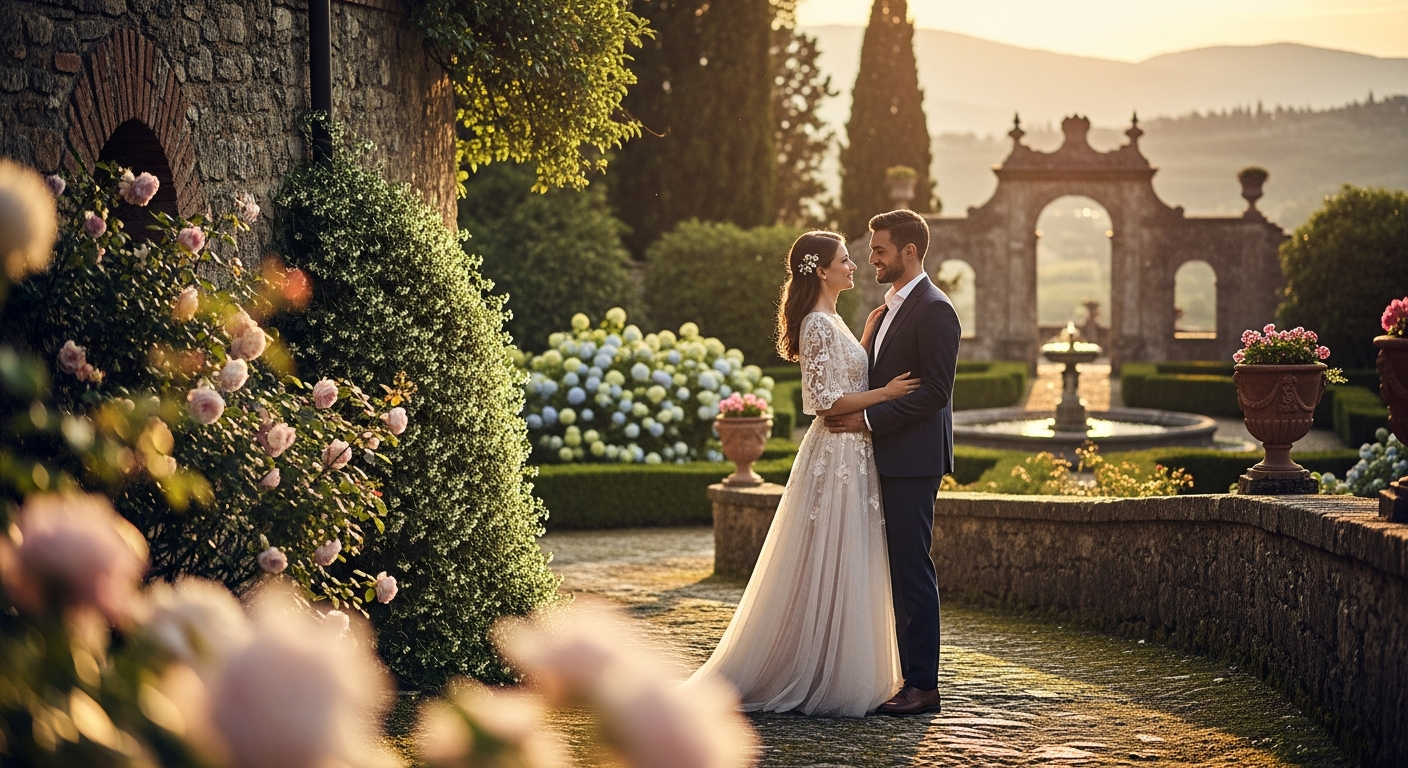
In today's digital age, capturing beautiful pre-wedding memories is just the first step. The real magic often happens in post-production. But what if you could achieve stunning, professional-level edits without spending hours on complex software? Welcome to the world of AI-powered photo editing! This guide focuses on mastering pre-wedding AI photo editing using high-quality AI prompts. We'll explore how AI prompts for engagement photo enhancement can transform your images, making them look even more breathtaking. Get ready to unlock new levels of creativity and efficiency with these essential pre-wedding photo editing AI prompts, designed to help you perfect every shot.
1. Flawless Skin & Radiant Glow
This prompt targets subtle, natural enhancements to achieve a perfect complexion for the bride and groom. It's ideal for making subjects look their best without sacrificing authenticity. Expert Insight: Always aim for natural-looking skin retouching. Over-smoothing can make subjects look unrealistic or 'plastic.' The goal is to enhance, not erase.
2. Dreamy Background Bokeh Effect
A beautiful bokeh effect adds depth and a professional touch to any portrait. This prompt helps you achieve that dreamy, blurred background without the need for a specific lens during the shoot. Expert Insight: Pay close attention to the edges around the couple. The blur transition should be smooth and natural, without any haloing or jagged cuts.
3. Golden Hour Lighting Transformation
Golden hour light is highly sought after for its romantic qualities. This prompt allows you to simulate that perfect warm glow, even if your original photo was taken under less ideal conditions. It's a key part of AI prompts for engagement photo enhancement. Expert Insight: When adding golden hour light, ensure the shadows match the direction and warmth of the new light source to maintain realism.
4. Elegant Color Grade & Mood
Color grading sets the mood for your entire photo series. This prompt helps achieve a consistent, professional, and emotionally resonant look. Expert Insight: Experiment with different color grades (e.g., vintage, vibrant, moody) but ensure consistency across your entire pre-wedding album for a cohesive story.
5. Distraction Removal & Clean Background
Unwanted distractions can pull focus away from the beautiful couple. This prompt is crucial for achieving clean, professional shots, making it a powerful AI prompt for pre-wedding photo retouching. Expert Insight: When removing objects, check for repeating patterns or unnatural smudges in the filled areas. The goal is to make it look like the distraction was never there.
6. Subtle Floral Overlay/Addition
Enhance the romance with subtle, thematic elements. This prompt allows you to add atmospheric details that weren't present during the shoot. Expert Insight: Less is often more with overlays. Ensure the added elements enhance the photo without making it look cluttered or artificial. Consider the direction of light and wind for realism.
7. Refined Hair & Tamed Flyaways
A bad hair day doesn't have to ruin a perfect shot. This prompt helps clean up and polish hairstyles, ensuring every strand is in place for that perfect frame. Expert Insight: When editing hair, zoom in to check for over-smoothing or loss of texture. The goal is to make it look well-groomed, not like a wig.
8. Dynamic Sky Replacement
A dull sky can often detract from an otherwise great photo. This prompt offers a powerful solution, giving you creative control over the atmosphere. This is a great example of creative AI prompts pre-wedding photography. Expert Insight: When replacing skies, ensure the light direction and intensity from the new sky match the existing scene's lighting to avoid an artificial look.
9. Outfit Wrinkle Smoothing & Enhancement
Even the most carefully chosen outfits can get a wrinkle or two. This prompt helps ensure their attire looks pristine and picture-perfect, adding to the overall polish of the images. Expert Insight: Be careful not to flatten the fabric's natural look when removing wrinkles. Some gentle folds add to the realism and shape of the clothing.
10. Subtle Facial Expression Adjustment
Sometimes, a tiny tweak can make a big difference in conveying emotion. This advanced prompt uses AI for those delicate, powerful adjustments to expressions. This is excellent for AI prompts for engagement photo enhancement. Expert Insight: Facial adjustments are incredibly sensitive. Always make the changes extremely subtle and compare with the original to ensure it still looks like the person and not a synthetic alteration.
11. Enhance Depth and Dimension
Adding depth makes a photo feel more immersive and professional. This prompt helps your images pop off the screen or page, making them more engaging. Expert Insight: Dodge and burn should be applied with a very light hand. The effect should be barely noticeable but cumulatively enhance the image's dimensionality.
12. Vintage Film Look Overlay
For couples who love a timeless, nostalgic feel, a vintage film look can be perfect. This prompt allows you to apply that classic aesthetic to your modern digital photos. These are truly creative AI prompts pre-wedding photography. Expert Insight: When applying vintage effects, avoid overdoing the grain or light leaks, as this can make the image look cheap or artificial instead of authentically nostalgic.
Expert's Final Verdict: The power of AI prompts for pre-wedding photo retouching is undeniable. By leveraging these advanced prompts, photographers and couples alike can achieve stunning, professional-grade edits with incredible efficiency. From flawless skin to dramatic skies, and creative atmospheric enhancements, mastering pre-wedding AI photo editing empowers you to bring your vision to life. Experiment with these pre-wedding photo editing AI prompts, tailor them to your specific needs, and watch your engagement photos transform into timeless masterpieces. The future of photography is here, and it's smarter, faster, and more creative than ever before!
Frequently Asked Questions
What kind of AI tools can process these detailed prompts for pre-wedding photo editing?
These detailed prompts are designed for advanced AI photo editing tools that utilize generative AI capabilities. These tools can interpret complex text instructions, modify existing images, add or remove elements, and perform sophisticated retouching while preserving the core elements of your uploaded pre-wedding photos. Many modern professional photo editing suites are integrating such AI features.
How do AI prompts improve the quality of pre-wedding photos?
AI prompts significantly improve pre-wedding photos by allowing precise and sophisticated edits that might otherwise take hours of manual work. They can flawlessly retouch skin, adjust lighting, change backgrounds, apply complex color grades, and even subtly alter expressions, all while maintaining a natural look. This results in higher quality, more polished, and aesthetically pleasing images ready for your special announcement.
Can AI truly replace a human photo editor for pre-wedding photos?
While AI is incredibly powerful for automating and enhancing many aspects of pre-wedding photo editing, it's best seen as an assistant rather than a full replacement. A human editor brings artistic vision, nuanced understanding of emotions, and the ability to make subjective decisions that AI currently struggles with. AI excels at executing specific tasks, but the overall creative direction and final artistic approval often still benefit from human expertise.
Are there any ethical considerations when using AI for pre-wedding photo editing?
Yes, ethical considerations include ensuring the AI enhancements don't distort the subjects' likenesses or create unrealistic expectations. It's important to use AI to enhance natural beauty rather than create entirely new, artificial versions of people. Transparency with clients about AI usage in editing can also build trust. Always prioritize natural and respectful enhancements in your AI prompts for engagement photo enhancement.